Fusions Bazar
1.0 /
5.0
(0)
0
total reviews
Regular price
Rs. 2,999.00
Regular price
Rs. 7,000.00
Sale price
Rs. 2,999.00
Unit price
/
per
Taxes included.
Shipping calculated at checkout.
●
4 people have this in their cart
Low Stock: Hurry, only a few left!
Favorites Alert
Loved product! 1.1M people favorited it!
Couldn't load pickup availability
 7 days Return
 Quality product
 Free Shipping
Fast Shipping
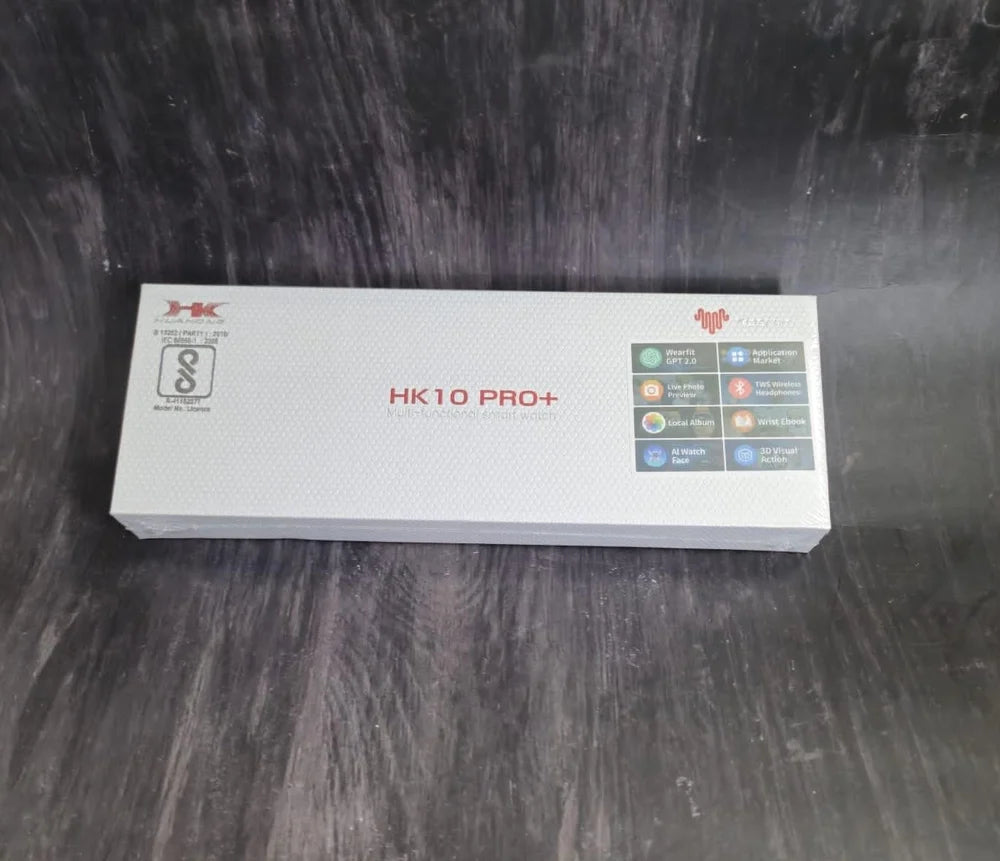
Smartwatch - Fitness & Health Tracker with Heart Rate, Blood Pressure, Blood Oxygen Monitoring, Multi-Sport Modes, Sleep Tracking, Bluetooth Calls, Alipay, Music Control, 49mm Display
HK10 Pro+ User
Getting Started
-
Assembling the Watch
- Open the package and attach the strap to the smartwatch.
-
Powering On
- Wear the smartwatch and press and hold the button to turn it on.
-
Setting Up the Device
- Download the "Wearfit Pro" app on your smartphone. You can search for it in your app store or scan the QR code provided.
- Follow the on-screen instructions in the app to pair the smartwatch.
-
Charging the Watch
- Place the back of the watch on the wireless charger for charging.
Connecting the Watch to Your Phone
1. Download the "Wearfit Pro" App
- Search for "Wearfit Pro" in your app store or scan the QR code provided to download and install it.
2. Pairing the Watch
-
First-Time Use or Factory Reset
- After powering on and selecting a language, a QR code will appear for downloading the app and pairing.
- Use the app to scan the pairing QR code to connect the device.
-
Regular Use
- Go to Settings > General > Connect to Mobile Phone on the watch to view the QR codes for the app and pairing.
- Use the app to scan the pairing QR code to connect the device manually.
Key Features
App Functions
-
AI Watch Faces
- Generate personalized watch faces using AI tools in the app.
-
App Market
- Download and use various apps from the Wearfit Pro app.
-
Customizable Watch Settings
- Upload wallpapers, watch faces, and music through the app.
-
Wearfit GPT 2.0
- Access enhanced multi-scenario services directly on the watch.
-
Baidu Navigation 2.0
- Get real-time route planning and navigation on the watch or phone.
Health Features
-
Sleep Monitoring
- Track sleep duration and quality.
-
Heart Rate Monitoring
- Measure real-time heart rate (60-90 bpm is considered normal).
-
Blood Oxygen and Pressure Monitoring
- Assess oxygen saturation and blood pressure levels.
-
Stress Monitoring
- Track 24-hour stress levels and adjust accordingly.
-
Breathing Exercises
- Guided breathing exercises to relax and reduce stress.
Exercise Modes
- Supports multiple sports like running, cycling, football, basketball, and hiking.
Daily Tools
-
Weather Updates
- Sync with the app for real-time weather information.
-
Music and Camera Control
- Control music playback and take photos through the watch.
-
Alipay Integration
- Use QR codes for payments directly from the watch.
-
Utilities
- Includes features like alarm clock, stopwatch, calculator, and voice assistant.
-
Gaming and Navigation
- Play mini-games and use the built-in compass for navigation.
Precautions
-
Health Measurements
- Results are for reference only and not intended for medical purposes. Consult a doctor for accurate diagnosis or treatment.
-
Water Resistance
- Avoid deep diving or prolonged water exposure. The watch is not resistant to hot water.
-
Charging Safety
- Charge only in a dry environment using a standard power adapter (5V-1A or below).
- Avoid using low-quality adapters to prevent risks like fire or battery damage.
-
Battery Handling
- Keep batteries away from high temperatures. Improper replacement may cause explosions. Dispose of used batteries as per local regulations.
Specifications
-
Product Name: HK10 Pro+
-
Materials: Zinc alloy with IML injection molding
-
Compatibility: Android 5.0+ or iOS 10.0+
-
Size: 49 x 44 x 12 mm
-
Strap Material: Liquid silicone
-
Bluetooth Version: 5.2
For further details or troubleshooting, refer to the "Wear fit Pro" app or contact customer support.
1,000,000+ HAPPY CUSTOMERS
Share
View full details